4 free GitHub repos for Claude (and the one I won't install)
The 4 repos from the Reel: Ponytail, Graphify, Agent Skills and OmniRoute. What each one does, the exact install commands from their READMEs, and why I'd skip #4.
Came from the Reel? You commented TOOLS. Here is everything, with one-tap copy.
Before you start: All four are free and open source. #1–#3 plug into Claude Code (paid Claude plan or Console account). Star counts are from GitHub on October 6, 2026.
All 4, step by step
#1
Ponytail (156K ★) — less code, fewer tokens
A ruleset Claude Code loads every turn. Before writing code Claude has to ask: does this already exist, is it built in, can it be one line? In our test (a wedding countdown, 3 runs each) plain Claude averaged 68 lines and Ponytail 26.
You need
Claude Code
Node.js on your PATH
Send the first command as its own prompt in Claude Code.
Send the second command as a separate prompt.
Start a new session. Type /ponytail to check it's on.
Turns a project into a knowledge graph Claude can query instead of re-reading files. You get graph.html (clickable map), GRAPH_REPORT.md (key concepts and surprising connections) and graph.json.
You need
Python with uv or pipx
Claude Code (or another AI coding assistant)
Install the CLI. The package name is graphifyy, with two y's; other graphify* packages are not affiliated.
Register the skill with your assistant.
In Claude Code, run /graphify . inside your project.
Command
uv tool install graphifyy
graphify install
Prompt
/graphify .
Tip: Mapping code runs locally. Extracting PDFs and documents uses an AI API key, which may cost money.
Agent Skills by Addy Osmani (101K ★) — senior-engineer workflows
25 skills plus slash commands that walk Claude through the full lifecycle: /spec, /plan, /build, /test, /review, /code-simplify and /ship. Each one encodes the quality gates senior engineers use.
You need
Claude Code (also works with Cursor, Codex, Copilot and more)
Node.js (for npx)
Install all 25 skills with one command, or add --list first to browse them.
Or install a single skill, for example code review.
A local AI gateway: one endpoint that routes to 350+ providers and falls back to free tiers when one runs out, so you rarely hit a limit. The catch: to use your own accounts you put your provider API keys and logins into it, so one third-party app holds all of them. It also ships a MITM mode that installs its own certificate authority to read encrypted traffic, plus TLS-fingerprint stealth. Some of that pushes against providers' terms of service and could get accounts banned.
Read the source and the security docs before trusting it with any key.
If you test it, use throwaway keys with low spending limits, never your main ones.
Don't install its certificate authority (MITM mode) on a machine you use for anything sensitive.
Tip: It's MIT-licensed and popular, and I'm not saying it's malware. My rule: anything that sees all my keys and my encrypted traffic needs a much higher bar than a star count.
Tip: Start with one. Ponytail if Claude writes too much code, Graphify if it gets lost in a big repo, Agent Skills if you want it to plan, test and review like a senior engineer.
 Claude Skill · free & open sourceThe free YouTube Agent Skill: 11 Claudes, and my 18-hook test
 GitHub · open source · side hustle4 GitHub repos as businesses: what 5 AI investors funded
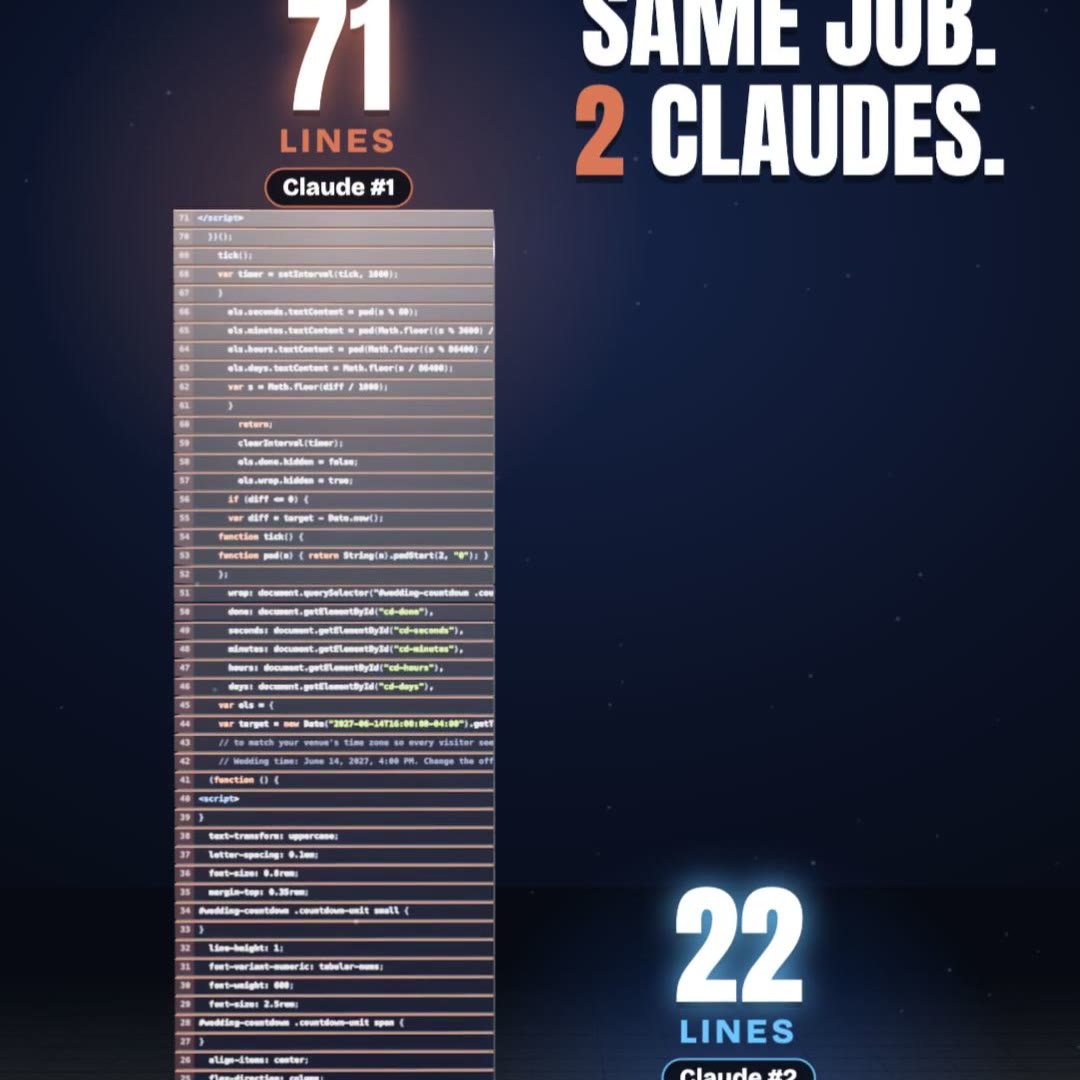 Claude Code · free pluginPonytail: same result, a third of the code
 Claude Skill · freeRaise Ring: rehearse your raise ask against 10 Claude bosses before the real one
 Claude Skill · freeCrowd Test: show your launch to 20 Claude shoppers before real customers see it
 Claude Skill · freeHiring Panel: let 10 Claude interviewers vote on your resume before a real company does
 Claude Skill · freeIdea Court: put your idea on trial in front of 12 Claude jurors
 Claude Skill · freePitch Panel: 5 tough Claude investors tear into your idea first